


Your benefits with Enode Pro
Whether you coach two athletes or two hundred, Enode Pro gives you the infrastructure to manage, monitor, and improve performance systematically. Replace the spreadsheets and the guesswork with objective velocity-based training data from every session. Build programmes your athletes can follow anywhere, and review their progress from a single web portal, in real-time or after the fact.
Trusted by top teams and over 145,000 athletes around the world since 2016.







Feedback the moment the bar moves
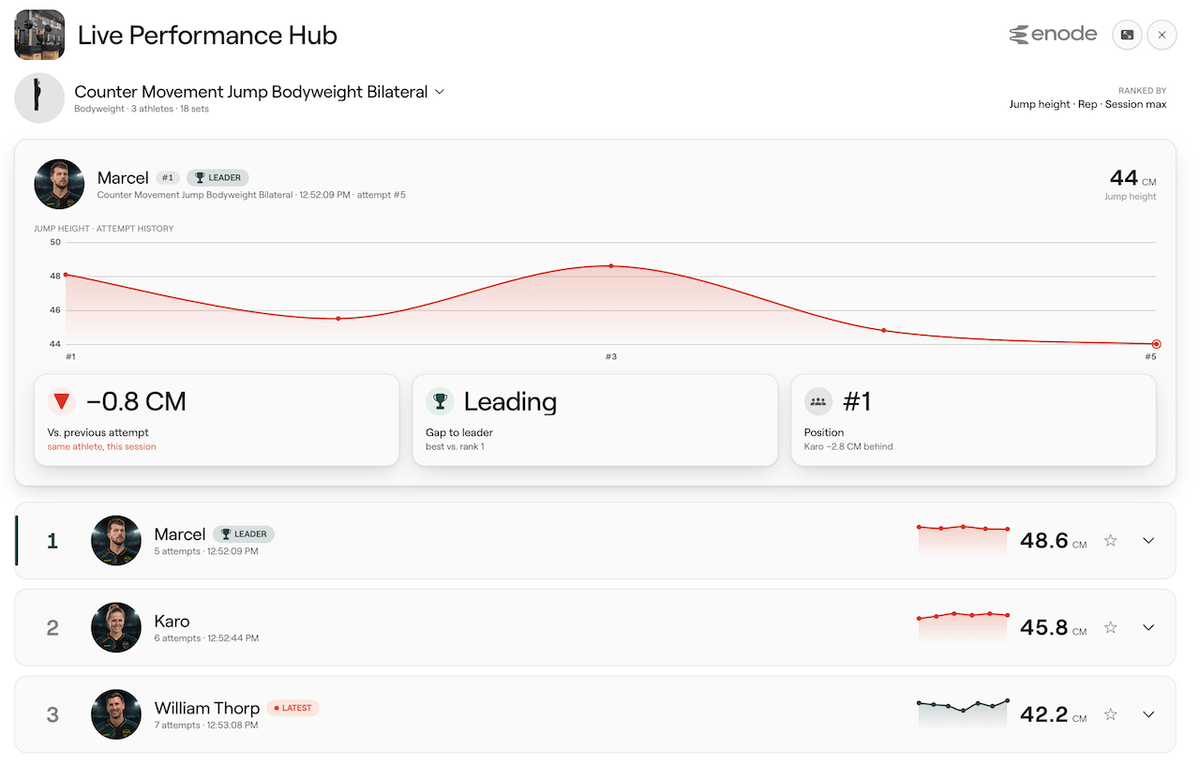
Connect a sensor and every rep appears as it happens. Velocity, force, power and bar path, live on the screen, with the number called out loud so nobody has to look up.
- 17+ metrics plus their eccentric counterparts and specific jump metrics
- Live reps in reserve, estimated from the velocity trend, without needing a stored 1RM
- A stop cue when the set hits its velocity loss target
- Feedback modes for metrics, muscle quality and technique
- Training modes for strength, weightlifting, flywheel, and jump testing including CMJ, squat jump and drop jump with RSI
Sensors are not barbell-only. Strap one to the bar for barbell work, wear it on the wrist for dumbbells and kettlebells, on the hip for bodyweight movements, on the weight stack for cable and machine work, or on a flywheel with the adapter. The app tells you where it goes.

Athlete profiles. Every session saved.
With Enode Pro, every session is logged against a named athlete profile. Build a complete training history for each person you work with: their velocity benchmarks, load progressions, session notes, and performance trends over time. The data is yours to query, export, and act on.
- Individual athlete profiles with full session history
- All sensor data retained: velocity, force, power, spatial metrics, bar trajectory
- Manual set logging available alongside sensor data
- Bulk athlete import via CSV for large rosters
- Export all data: select by athlete, exercise, metric, or date range

Programme once. Deploy to everyone.
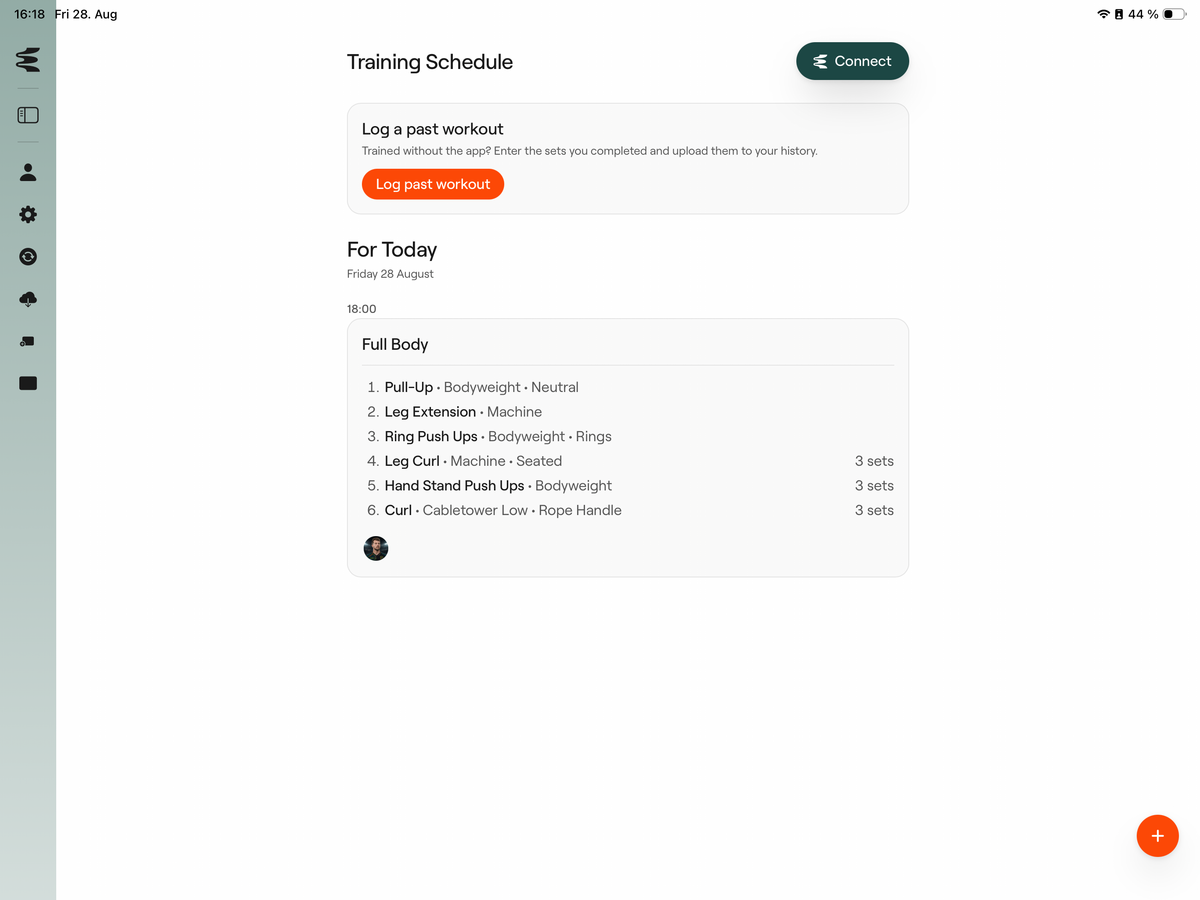
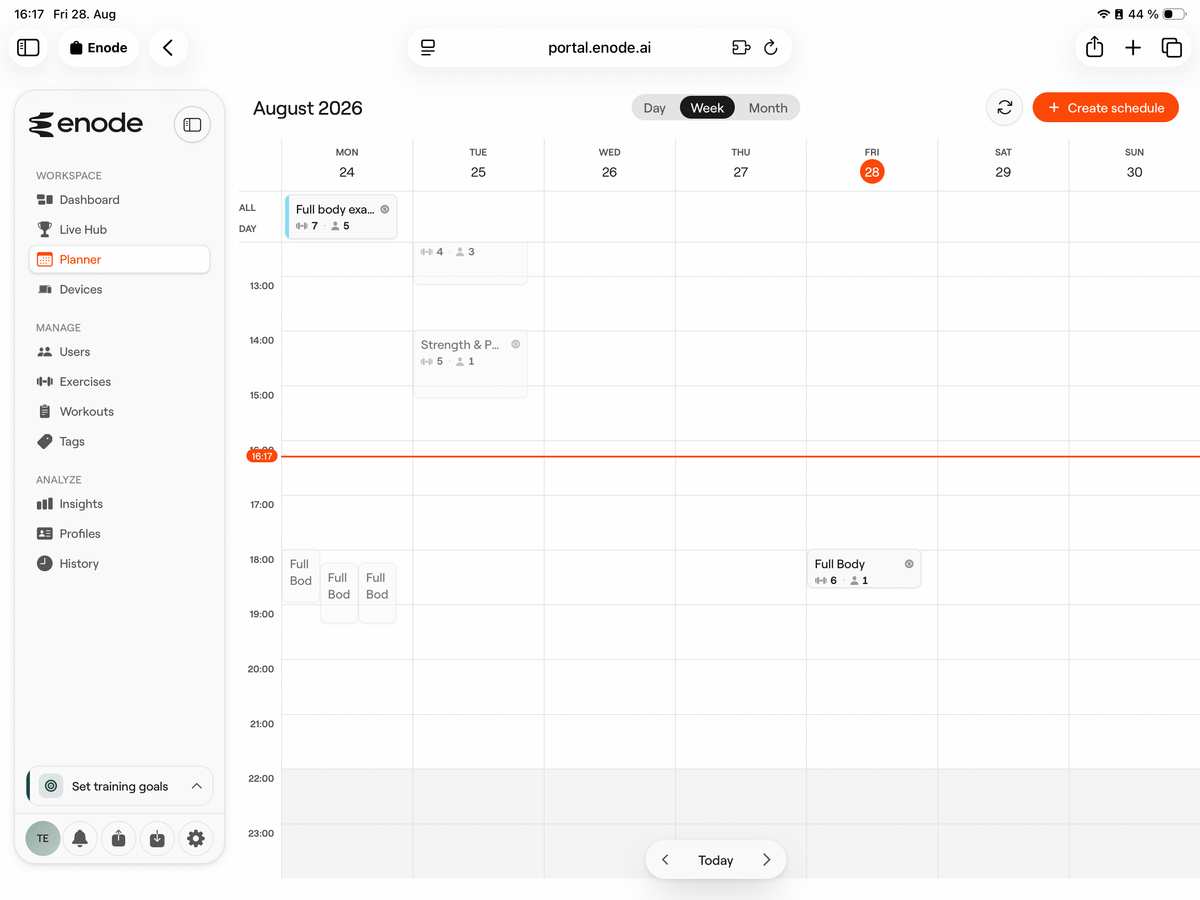
Build workout templates as simple or as complex as your programming demands: from basic rep counts to velocity targets with prescribed load zones. Save templates to your library and schedule them for individuals, groups, or your entire team via the web portal. Scheduled workouts appear automatically in each athlete’s app on the day they’re due.
- Full workout builder: exercises, sets, reps, load, velocity targets
- Save and reuse templates across different athletes and groups
- Schedule sessions on specific days and times via the web portal
- Set recurring workouts for block training structures
- Workouts appear in the athlete’s app login automatically
- Create sessions on the fly in-app when needed
Plan at your desk. Train on the floor. Review at your desk.
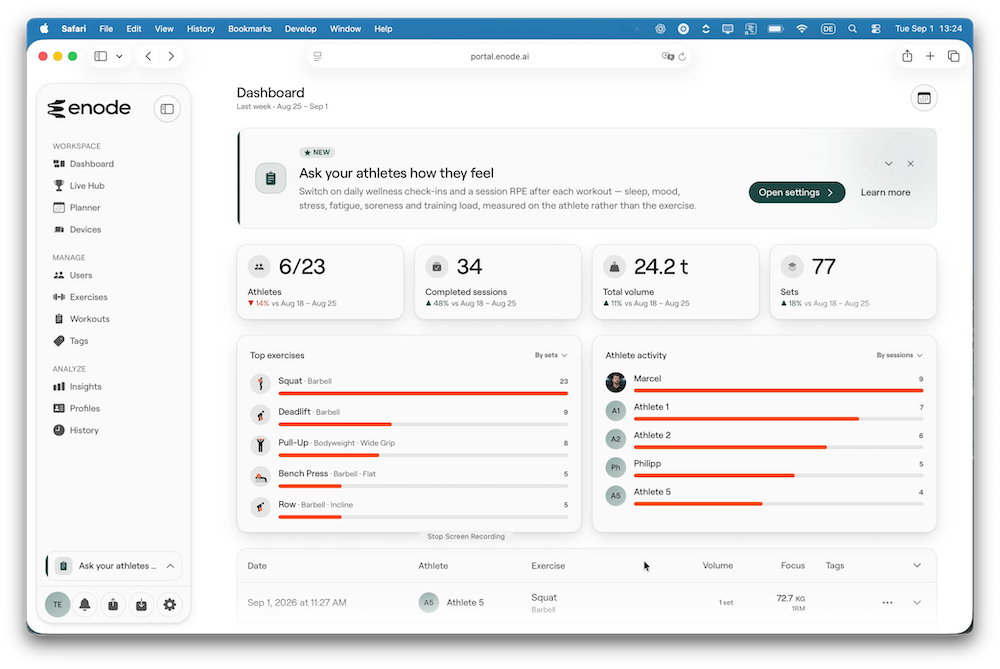
The Portal is the web side of Enode Pro, included with every plan, open in any browser at portal.enode.ai.
Build workout templates as simple or as detailed as your programming needs, from rep counts to velocity targets and prescribed load zones. Schedule them for an individual, a group or the whole squad. They appear in the athlete’s app on the day they are due.
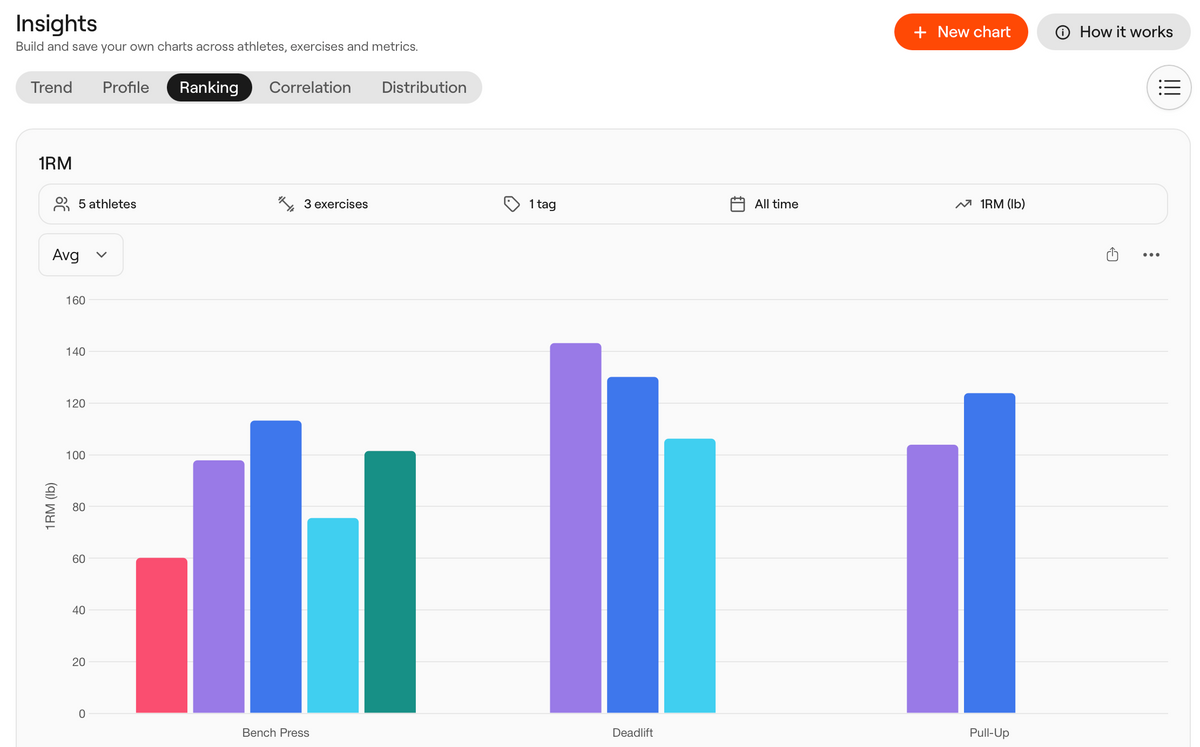
When the session is done, the same portal is where you read it: rep by rep, athlete by athlete, or across the whole roster.
- Workout builder and reusable templates
- Scheduling, including recurring sessions for block structures
- Roster management, groups, tags and staff roles
- Insights with a custom chart builder
- Profiles, history and CSV export
- Live Hub for broadcasting a session to a gym display

Three workouts. One tablet.
A station is a complete workout running on screen: its own exercise, its own sensor, and as many athletes as you need inside it. One tablet holds up to three.
Three groups rotating through three lifts is one tablet, not three. Tap between columns, nothing disconnects, and each group keeps its own sensor and its own set list.
- Up to three independent stations on one tablet (account dependent)
- Each station keeps its own exercise, sensor and athlete group
- Sensors stay with the station, so finishing one athlete and starting the next costs nothing
- Switch a station's athlete or exercise mid-session without losing anything
Devices set to feedback-only do not use a station at all. Running live feedback for a whole group costs nothing on any plan, including free.
Start free. Scale when you’re ready.
There is no premium tier and nothing greyed out waiting for an upgrade. Insights and the custom chart builder, Profiles, History, CSV export, the Live Hub, planning, staff roles: all of it is in every plan, including free.
Plans differ on two numbers only: how many athletes you can train, and how many recording stations you can run. The one exception is API access, which starts at Trainer.
Works with your existing stack
Enode connects directly with Teambuildr and RockDaisy, allowing athlete data, exercise libraries, and session results to flow between platforms without manual export. For organisations with custom data infrastructure, full API access is available.
- Teambuildr: sync of athletes, exercises, and session data
- RockDaisy: native integration for team management workflows
- Full API access: build custom integrations with your own systems or data pipelines
- Data export: CSV, all metrics, any date range, any athlete selection
One app. Every platform. Nobody waits.
Enode Pro is built once and released everywhere at the same time. iPhone, iPad and Android get the same features on the same day.
If half your staff is on Android, that has probably shaped which tools you could actually adopt. It no longer needs to.
- Native iOS and Android, same features, same release schedule
- Phones and tablets, with a layout that adapts to the screen
- Your athletes install it on whatever they already own
You do not need a sensor to start
Enode Pro works as planning and logging software on its own. Build a programme, schedule it, and have sets typed in by hand with reps, load and reps in reserve. Every athlete profile, every plan and every piece of analysis works exactly the same.
Add sensors when you are ready. Most coaches settle on the same pattern: a sensor on the main lifts where bar speed tells you something, manual logging for accessory work.
- Full programming and logging with no hardware
- Add an Enode sensor to any lift, any time
- Mix sensor-tracked and manually logged work in the same session
Feature comparison
Find the right plan for your needs
| Features |
Free
€0/month |
Trainer
from €39/month |
Team
€79/month |
Enterprise
from €159.90/month |
|---|---|---|---|---|
| Live sensor feedback during session | ✓ | ✓ | ✓ | ✓ |
| Athlete Profiles | 3 | 30 | 100 | Unlimited |
| Manual set logging | ✓ | ✓ | ✓ | ✓ |
| 150+ exercise library | ✓ | ✓ | ✓ | ✓ |
| Data saved after sessions | ✓ | ✓ | ✓ | ✓ |
| Session scheduling via web portal | ✓ | ✓ | ✓ | ✓ |
| Recurring workout scheduling | ✓ | ✓ | ✓ | ✓ |
| Athlete login (remote & in-person) | ✓ | ✓ | ✓ | ✓ |
| Athlete self-log & remote training | ✓ | ✓ | ✓ | ✓ |
| Team & group management | ✓ | ✓ | ✓ | ✓ |
| Post-session analysis in web portal | ✓ | ✓ | ✓ | ✓ |
| Force-velocity profile (auto-generated) | ✓ | ✓ | ✓ | ✓ |
| Data export (CSV / all metrics) | ✓ | ✓ | ✓ | ✓ |
| API access (Teambuildr, RockDaisy) | x | ✓ | ✓ | ✓ |
| Unlimited Workout Templates | ✓ | ✓ | ✓ | ✓ |
| Bulk athlete import via CSV | ✓ | ✓ | ✓ | ✓ |
| Multi-coach / admin management | ✓ | ✓ | ✓ | ✓ |
| Unlimited Data Storage | ✓ | ✓ | ✓ | ✓ |
| Recording stations | 2 | 3 | 10 | Unlimited |
| Video Storage | 0 | 500MB | 1GB | 10GB |