

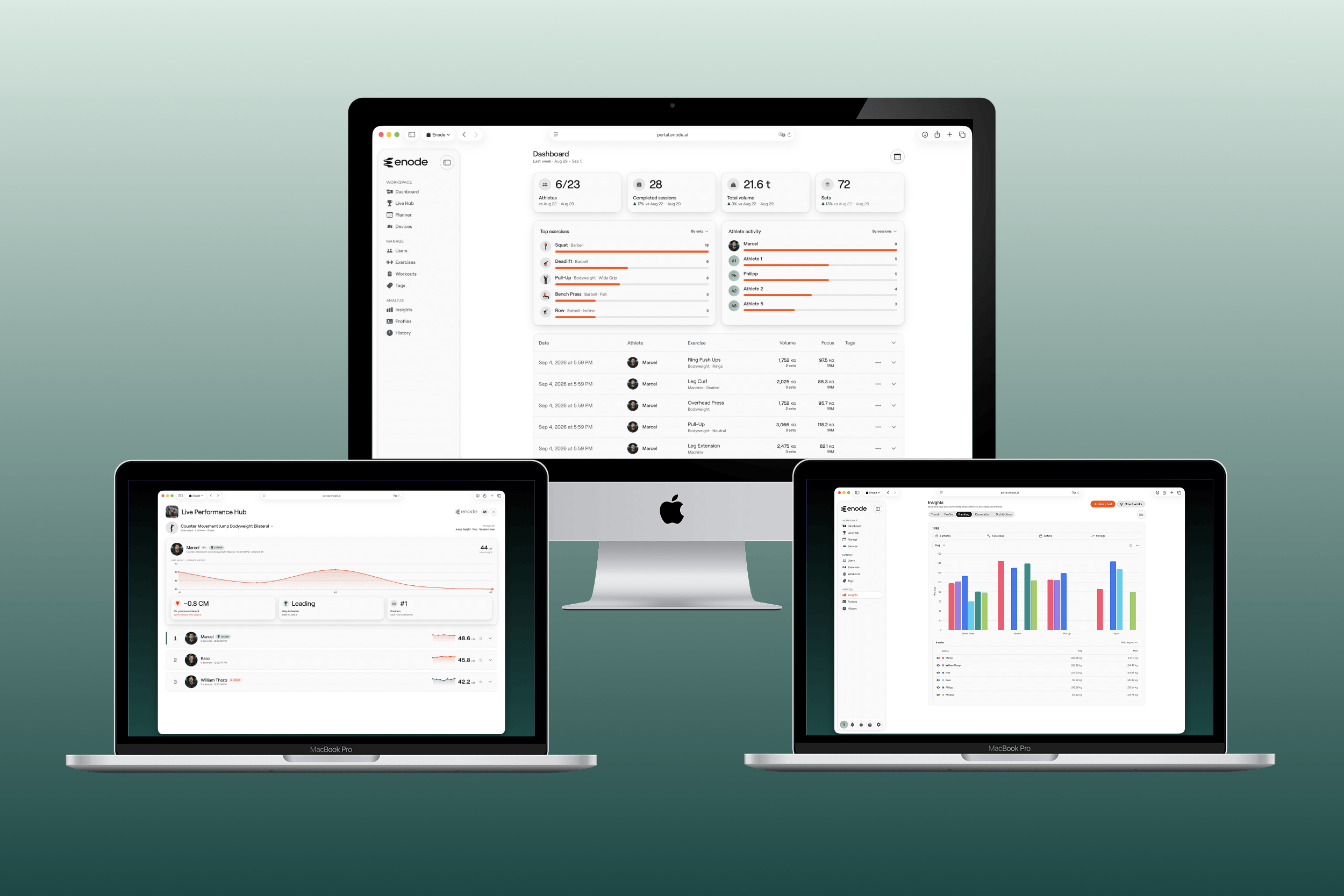
The web side of Enode Pro
The Portal is included with every Enode Pro plan, free included, and opens in any browser at portal.enode.ai. It is where you build programmes, manage your roster, and analyse what happened. Plan in the portal. Train in the app. Review in the portal. That loop is the product, and there is no limit on how many browsers or coaches are signed in.
Feature highlights
Live Hub
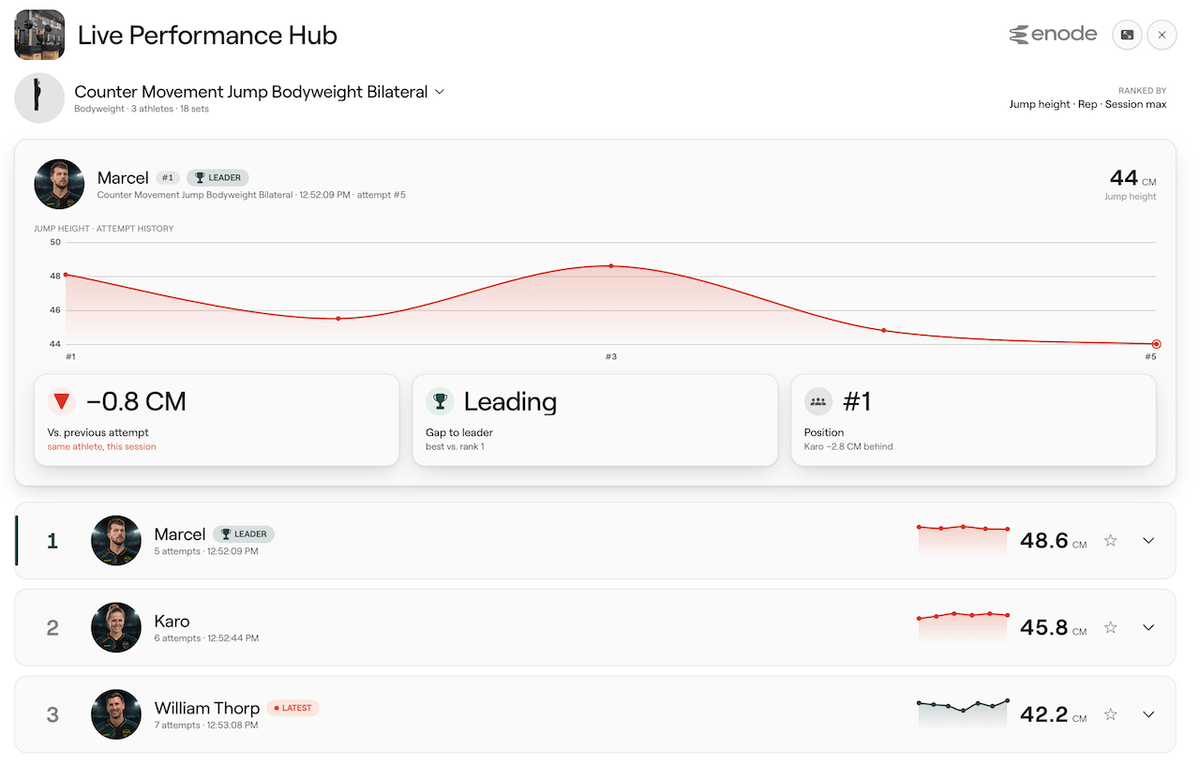
Put the session on the wall or walk the gym floor with a tablet in hand, giving you a bird's-eye view of every set at every rack. Every set recorded in the app appears on a gym display as it happens: run a live attempt board, a squad leaderboard, or a chronological feed of the room. Nobody types anything.
Workout builder
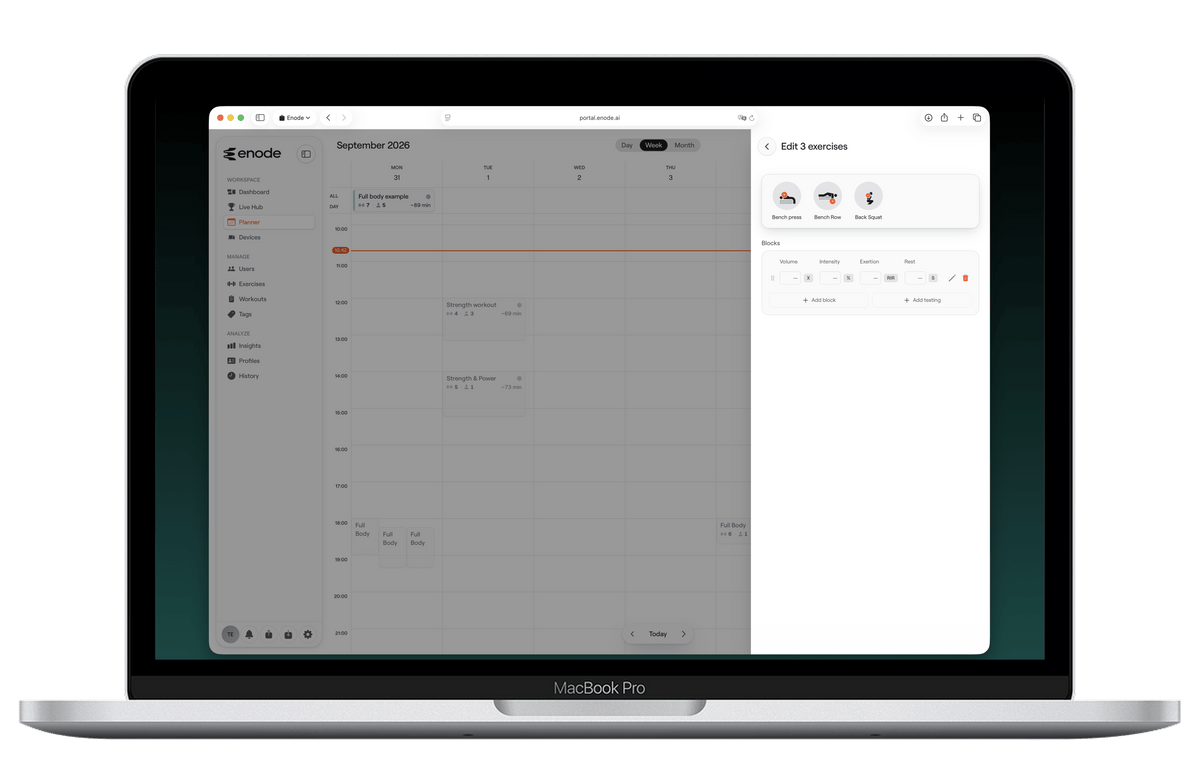
Create workout templates to be used once or time and time again. Programming can be as simple or as complex as desired. From simple rep counts to velocity targets. Once you have created your workouts, you can schedule them when needed or keep them stored to quickly access them when starting a session on your mobile device.
Workout scheduling
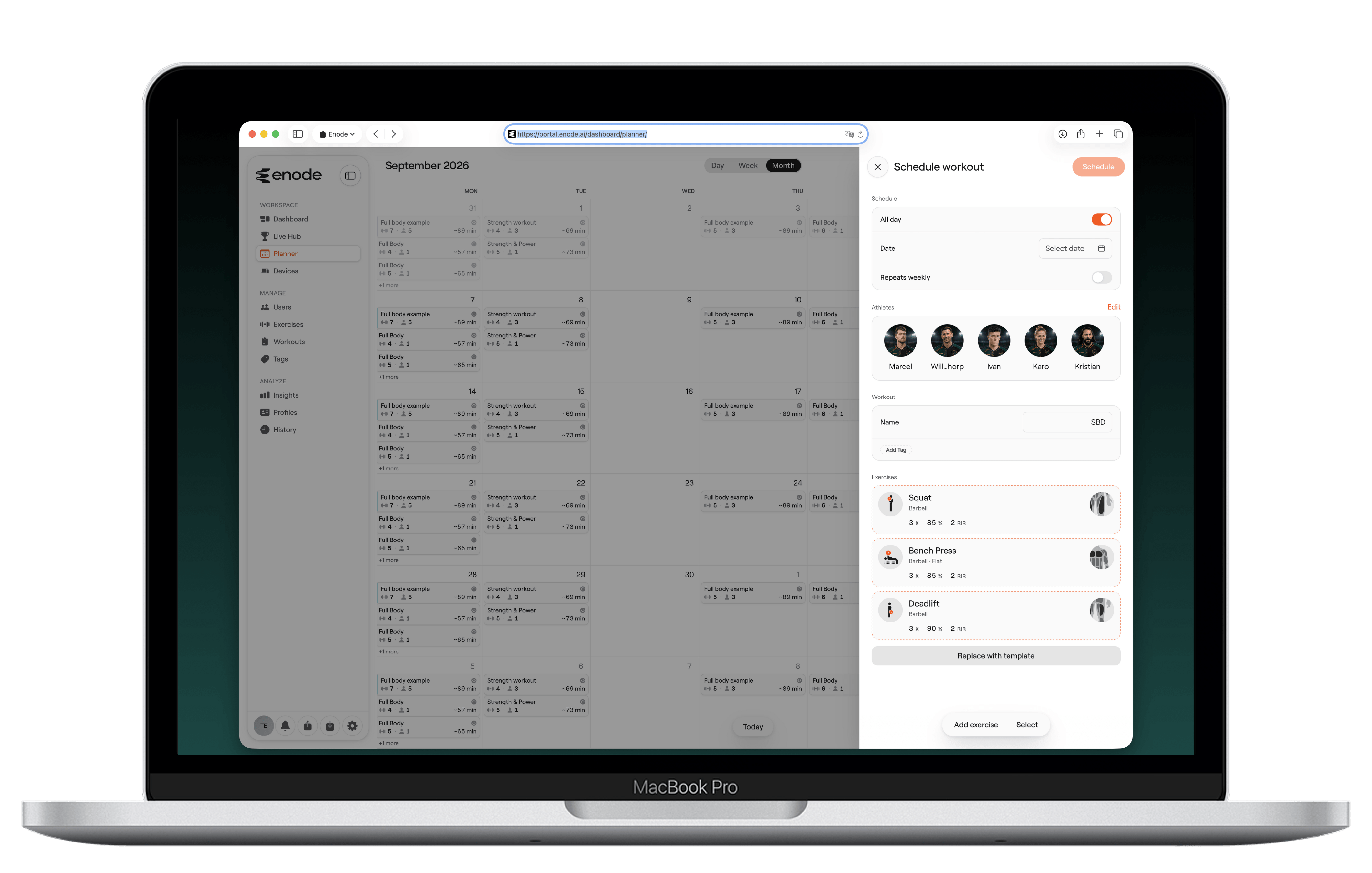
The calendar can perform two actions: reviewing previous sessions or scheduling future sessions. You can create a workout specifically for the schedule you are creating, or you can use one of the pre-defined workouts that you have stored as a template. You can schedule the workout for a specific day or even add a specific time (handy if you have multiple sessions on the same day), then add the athletes who are to perform the workout. You can also choose to select the workout as a recurring workout.

Custom exercise creation
Enode Pro comes with over 150 exercises pre-defined. You may, however, want to create your own. The portal takes you through an easy step-by-step guide to do so.
History, analysis and insights
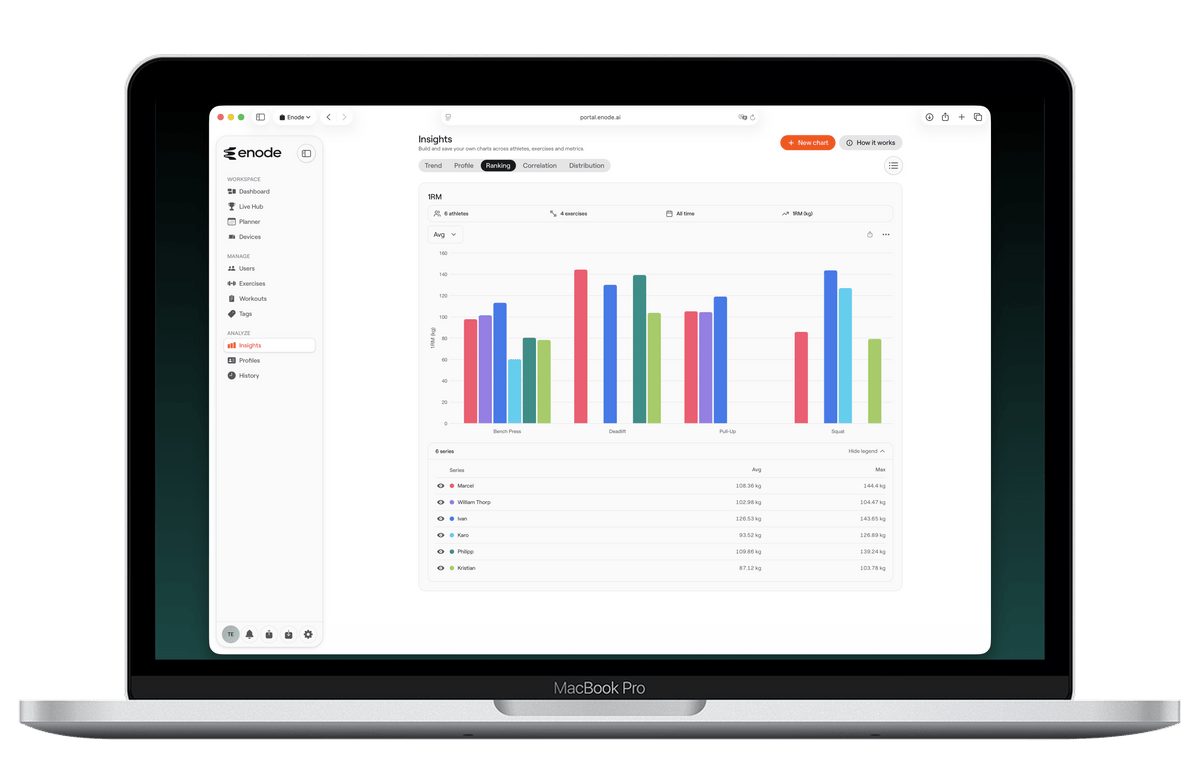
The history and analysis sections of the portal give you access to data collected via the Enode Pro app. History shows what was performed, the metrics (if using a sensor), and 1RM predictions for the session. The analysis section breaks down each lift for an athlete, showing their 1RM progress, velocity profile, and a reps-in-reserve velocity profile.
Build the charts you actually want to look at. Insights gives you a custom chart builder across athletes, exercises, metrics and date ranges, alongside ready-made trend views for the whole roster.
more features...
User setup
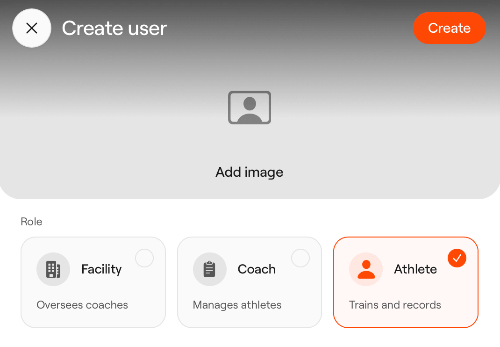
Depending on your organisation, you can have different logins for facilities and coaches. You can assign coaches to facilities, and athletes to coaches. Whatever the setup, the portal can help make everything as streamlined and efficient as possible.
Athlete login
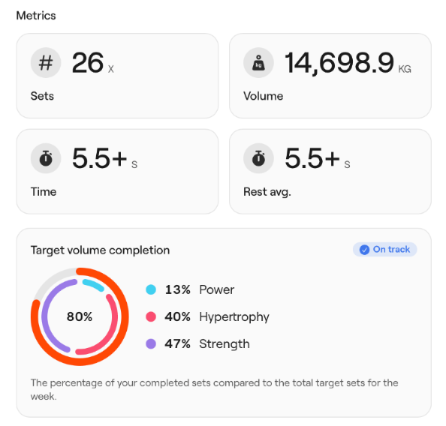
As an organisation, you can choose to give your athletes access to the app via an athlete login. This has multiple benefits. For remote athletes, they can receive their scheduled workouts from the coach, log them in the app, and their results will be available in the portal after their session. The athlete's login also allows them access to their training data and analysis directly in the portal.
Data export
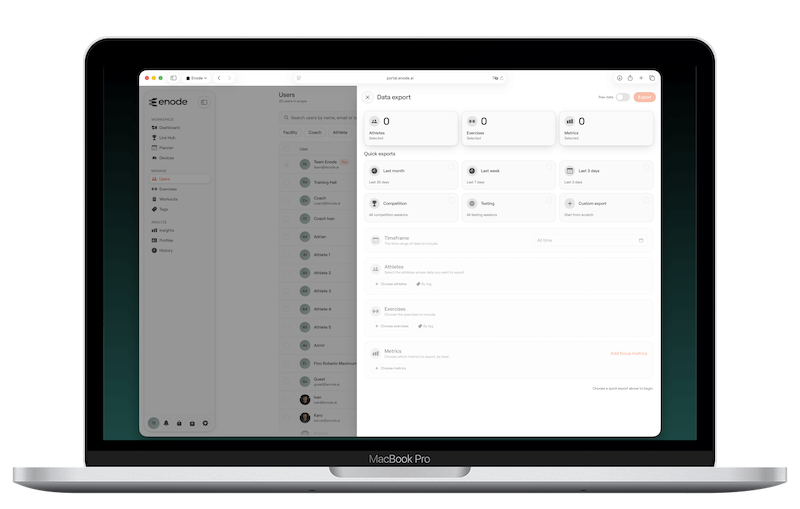
You can export all data stored in the portal. Select which metrics, athletes, and exercises individually, or export everything; the choice is yours. The portal takes you through a step-by-step process to make it as easy as possible.
Roster upload
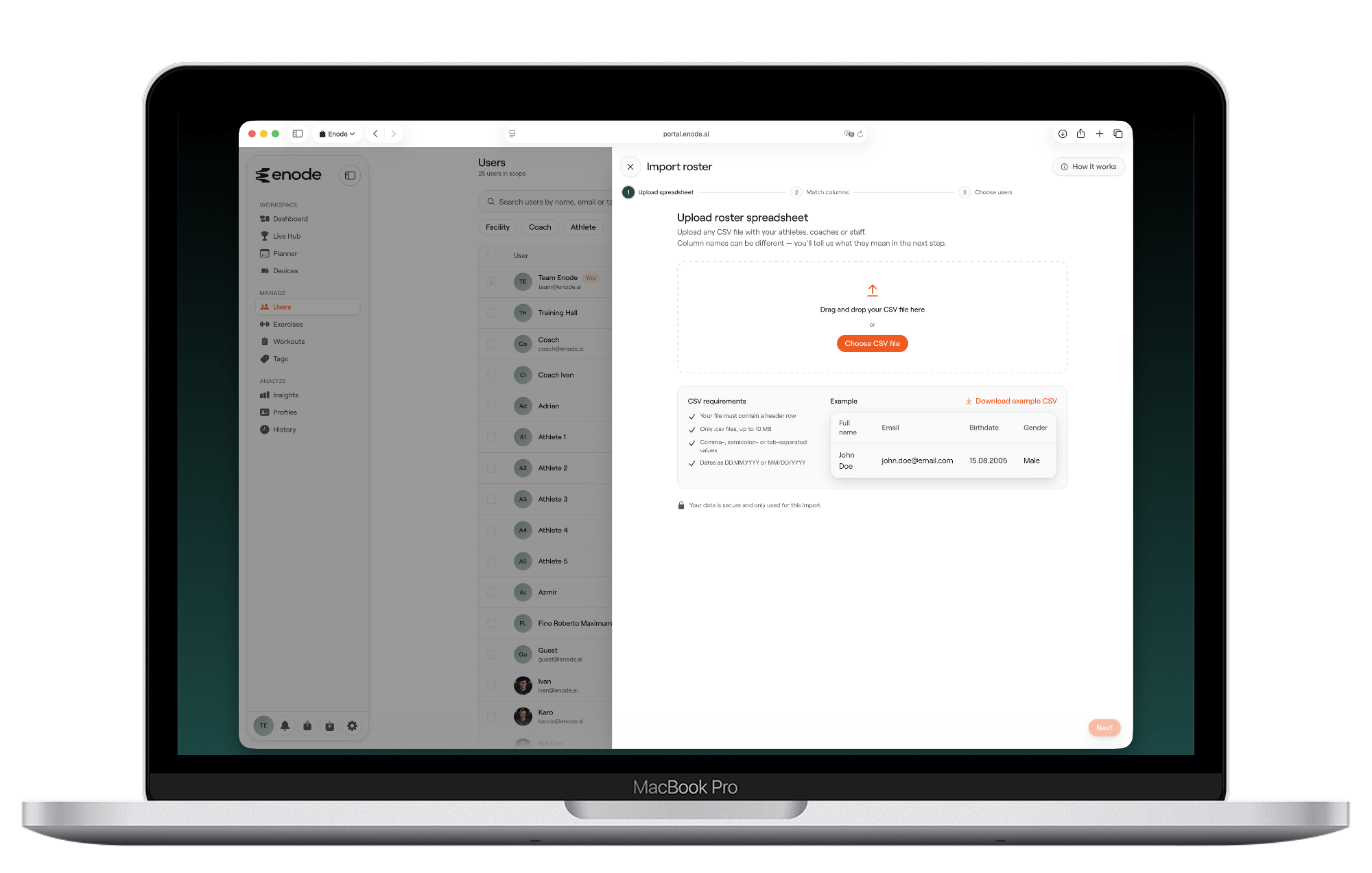
If you have many athletes to add to your account, you can upload them all in one go via a CSV file. An example is given to make it as seamless as possible.

API connection
We currently have direct API connections to Teambuildr and RockDaisy. If you use either of those platforms, you can pull data directly from the Enode system to centralise your data. We also have API documentation, should you wish to pull data into your own system. If you use any other AMS system, reach out to us, and we would be happy to look into making that connection work.
Make Every Rep Count
FAQs
Can I use your sensors without a subscription?
Yes. An Enode account used with one of our sensors gives you in-depth analysis of your daily strength training at no cost. If you work with clients or athletes in a professional setting, we recommend Enode Pro. Any questions, contact us at [email protected].
Can I use the app without a sensor?
Yes. Both Enode One and Enode Pro work without a sensor, as a strength training logbook with smart suggestions based on reps-in-reserve input. Pairing a sensor (or an Apple Watch with Enode One) adds detailed feedback on every rep.
Are you issuing an invoice or any comparable receipt?
As with any other purchase, you will receive a proper invoice from us. If applicable, this invoice will also contain all information for special tax cases. If you have a company within the EU and are entitled to deduct input tax, please enter your EU VAT ID during checkout. The VAT will then be deducted automatically, if applicable. Invoices are also issued in the e-invoice standard known in several EU countries.